



Puntos clave
Existen muchas herramientas de búsqueda de palabras clave para la optimización en motores de búsqueda (SEO), pero una de nuestras favoritas es el Planificador de palabras clave de Google: es gratuito, rápido y fácil de usar. ¡Sigue leyendo para descubrir cómo utilizar el Planificador de palabras clave de Google para el SEO en 2026!
What is Google Keyword Planner?
Google Keyword Planner is a free keyword research tool available through Google Ads. With Keyword Planner, you can research keywords, view metrics (like volume, competitiveness, and cost per click), and download keyword data.
En esta guía:
- What is Google Keyword Planner?
- Why Start Using Keyword Planner for SEO?
- How to Use Google Keyword Planner for SEO
- Empieza por las palabras clave
- Empieza por crear una página web
- 3+ Ways to Use Google Keyword Planner for SEO
Why start using Keyword Planner for SEO?
We recommend using Keyword Planner for SEO for a few reasons, including the following:
- Price: Google Keyword Planner is free, which is perfect if you’re looking for a cost-effective tool.
- Accuracy: You’ll also get accurate data to make informed keyword-targeting decisions.
- Depth: You can also surface short- and long-tail keyword ideas.
With its blend of capabilities, we recommend trying Google Keyword Planner for keyword research.
How to use Google Keyword Planner for SEO
Learn how to use Google Keyword Planner for SEO in these three steps:
1. Set up Google Keyword Planner
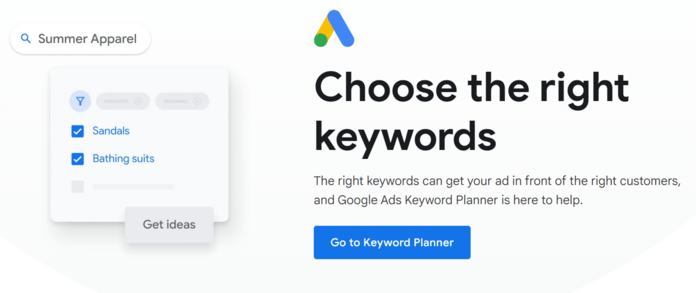
First, visit Google Keyword Planner and log into your Google Ads account. While you need a Google Ads account, you do not need to advertise on Google Ads to use Keyword Planner, which is another reason we love this tool.
2. Choose a keyword research option
Next, choose from one of the following keyword research options:
- Discover new keywords for finding keyword ideas
- Get search volume and forecasts for analyzing existing keyword lists
We’ll focus on the Discover new keywords option for this walkthrough on using Google Keyword Planner for SEO.
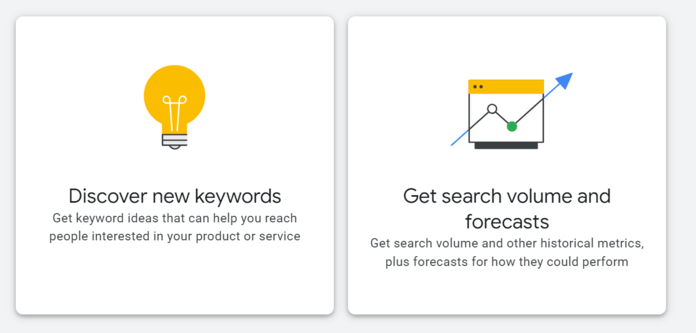
The second option — Get search volume and forecasts — is useful when you have an existing keyword list and need the metrics, like monthly search volume.
3. Select how to discover new keywords
After selecting Discover new keywords, Keyword Planner will present you with two options:
- Start with keywords by entering phrases related to your business
- Start with a website by entering a site URL, like your own or a competitor’s
Both options offer immense value when researching SEO keywords, so we’ll walk through both below:
Start with keywords
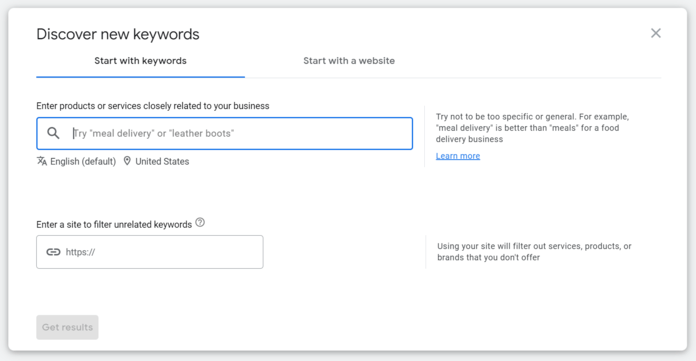
Select the Start with keywords option, and you’ll have two fields:
- Enter products or services closely related to your business: For SEO keyword research, you can use this field for products, services, questions, and other topics related to your business. As an advertising platform, Google Ads will nudge you to search for more transactional terms.
- Enter a site to filter unrelated keywords: While optional, you can add your website so Google Keyword Planner doesn’t suggest keywords unrelated to what you offer, making reviewing your initial keyword suggestions much easier.
Once you complete these steps, click “Get results.”
Keyword Planner will then display the following:
- Keyword suggestions for broadening your search
- Keyword data for your given keywords
- Keyword ideas related to your given keywords
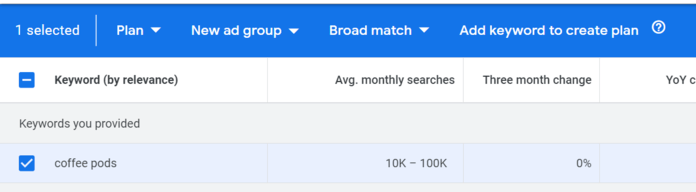
In our case, we started with the keyword, “coffee pods.”
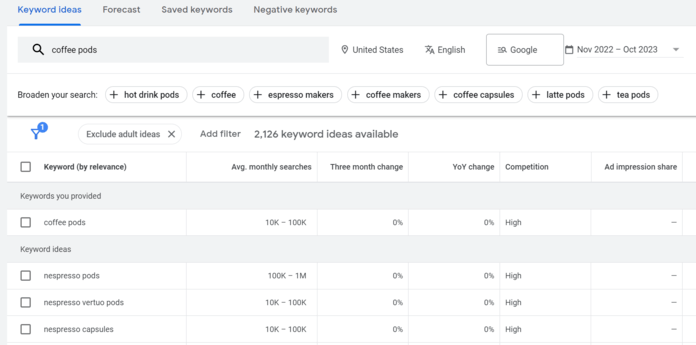
Google Keyword Planner then provided the following:
- Keyword suggestions like coffee capsules and coffee makers
- Keyword data for “coffee pods,” like its monthly searches and search fluctuation
- Keyword ideas like “nespresso pods”
Now, let’s experiment with refining our keyword results.
From the right-hand menu, you can access filters based on your given keywords. In our case, we have filters for brand or non-brand, drink, blend, and color. Let’s remove the branded results, like “nespresso pods.”
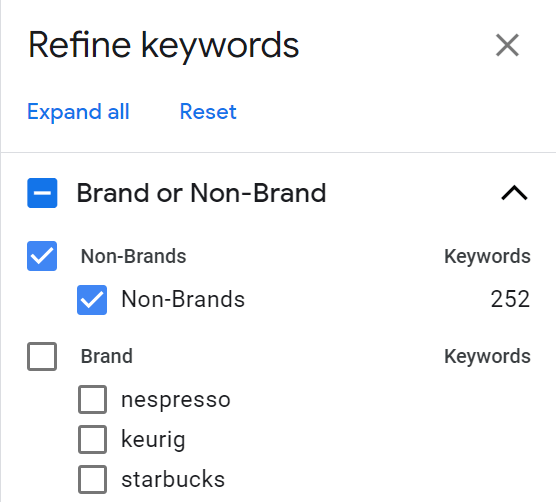
Once we do that, our keyword ideas change and get more relevant to our initial keyword, “coffee pods.”
If you want to save keywords to access later, select the checkbox and click “Add keyword.”
Start with a website
Let’s explore how to use Google Keyword Planner for SEO with the Start with a website option.
For this option, you can either submit your whole site or a single page for Google to review and analyze for keyword opportunities. The results will display the same as the Start with keywords option. Let’s begin with submitting a whole site — in this case, https://cometeer.com/.
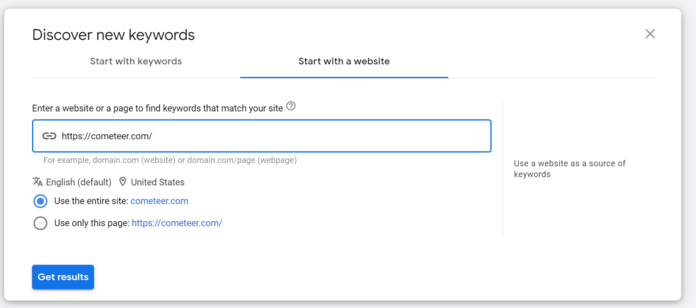
There are some gems here, like “alternative to nespresso machine” or “aluminum coffee pods.” Overall, the results are far too broad and irrelevant to Cometeer and its products. The company, for instance, doesn’t sell on Amazon, but there are several Amazon keywords.
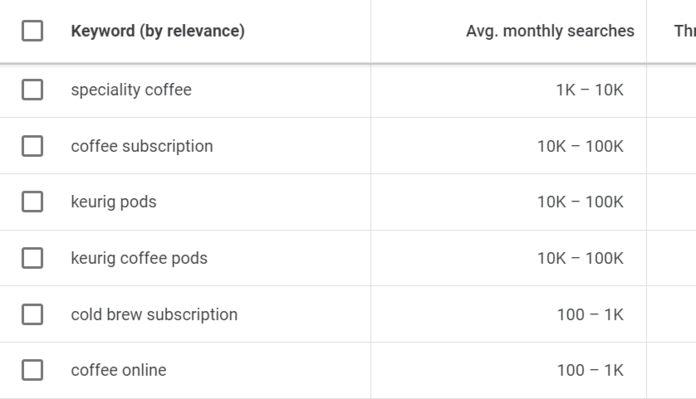
As an experiment, let’s enter a specific Cometeer URL: https://cometeer.com/sampler-pack-lp.
Here, Google Keyword Planner returns more branded terms, like “cometeer frozen coffee” and “cometeer iced coffee.” Still, there are some keywords that have potential, like “coffee sampler box,” which could have long-tail keywords even more relevant to Cometeer and its products.
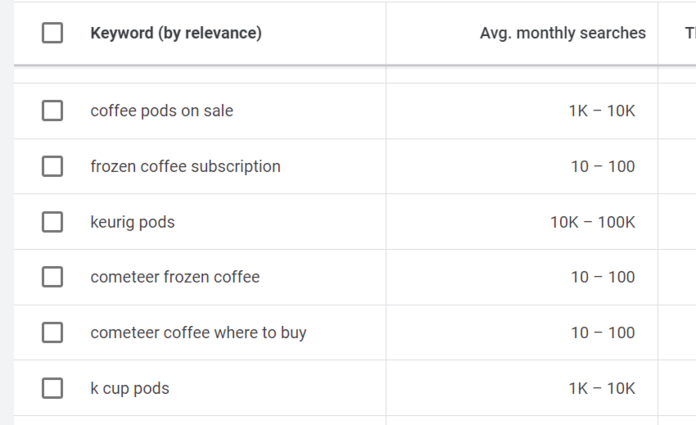
Like the Start with keywords option, you can refine and save keywords.
And that’s how you use Google Keyword Planner for your search engine optimization efforts!
3+ ways to use Google Keyword Planner for SEO
There are multiple applications for using Keyword Planner for SEO, like for finding:
- High-volume keywords
- Localized keywords
- Trending keywords
- Related keywords
- Y mucho más
The more you experiment with Google Keyword Planner, the more you’ll find ways to use it.
Looking for Google Keyword Planner alternatives? Explore various applications for SEO, such as finding high-volume, localized, trending, and related keywords. Experimenting with different tools can enhance your keyword research strategy.
Try our free keyword generator. Unlike Google Keyword Planner, no login is required to use our keyword research tool – and you’ll get keyword ideas instantly.
Boost Your ROI with WebFX PPC Services
Ready to take your keyword strategy to the next level? Partner with WebFX for expert PPC management that drives measurable results. From creating high-performing ad campaigns to optimizing your keyword bids, our team has the strategies and tools to maximize your ROI. Contact us today to start growing your business with data-driven PPC services!
Explore PPC Strategies with Proven Results



PPC que realmente genera clientes potenciales cualificados
Deja de malgastar tu presupuesto publicitario en tráfico y clientes potenciales de baja calidad. ¡Descubre cómo nuestros expertos en PPC pueden mejorar tu ROI en un 20 % o más!
PPC que realmente genera clientes potenciales cualificados
Deja de malgastar tu presupuesto publicitario en tráfico y clientes potenciales de baja calidad. ¡Descubre cómo nuestros expertos en PPC pueden mejorar tu ROI en un 20 % o más!
Escritores